
WhatsApp Marketing Services in Trichy
WhatsApp is where most of your customers already are — but chatting from a personal number doesn't scale, and doesn't give you broadcasting, automation, or reporting. Trichy Digital Marketing helps businesses in Trichy set up WhatsApp as a proper marketing and customer communication channel: broadcast campaigns, automated replies, chatbot flows, and integration with your website or ordering system, all built on a compliant opt-in foundation from day one.
This works well for businesses that already get regular product or service enquiries, have a base of repeat customers, or want a faster way to confirm orders and appointments. It's less useful if you have very few customer touchpoints or no existing contact list — we'll say so if that's your situation, rather than sell you something you don't need yet.
If you're deciding whether to bring in a provider or handle this yourself, the rest of this page walks through what the service actually involves.
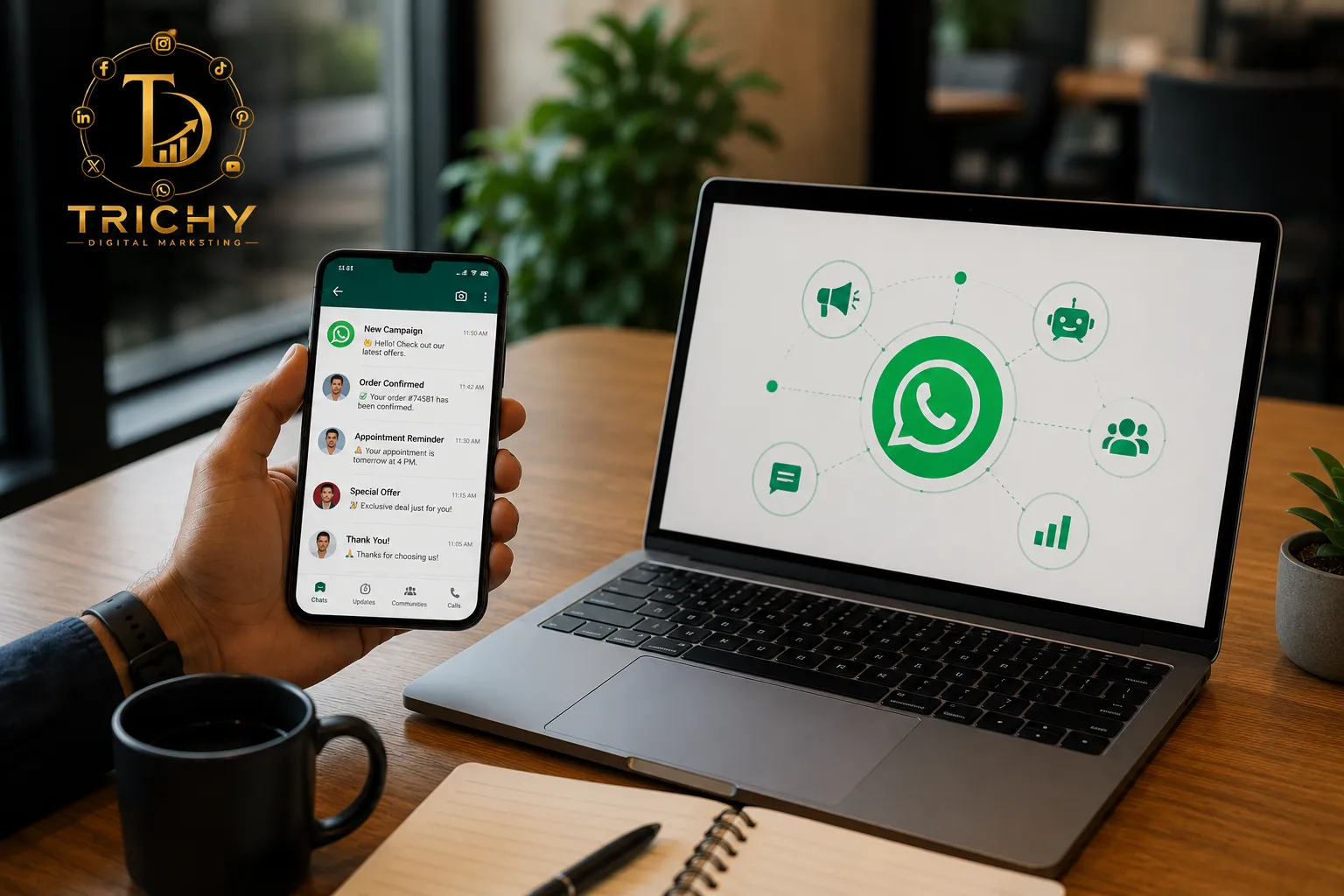
Our WhatsApp Marketing Services
WhatsApp Marketing Strategy
- What it is
- Deciding what WhatsApp should actually do for your business before any message goes out.
- What we do
- Map your enquiry volume, existing contact base, and goals (leads, orders, support, or a mix) to a realistic WhatsApp setup.
- Benefit
- You don't end up paying for automation or API access you don't need yet.
- Useful when
- You're starting from scratch, or your current WhatsApp use is unstructured and ad hoc.
WhatsApp Business API Setup
- What it is
- Moving from the free Business app to the WhatsApp Business Platform, which supports scale, automation, and integration.
- What we do
- Set up access through a Business Solution Provider, complete Meta Business verification, and register your sender number and display name.
- Benefit
- You can message beyond what one device and one team member can manually handle.
- Useful when
- You're outgrowing the free app, or need WhatsApp connected to another system.
Broadcasting
- What it is
- Sending an offer, update, or announcement to a segmented list of opted-in contacts at once.
- What we do
- Draft and register the message template in the correct category, then schedule the send to the right segment.
- Benefit
- One message reaches many customers without losing the personal, conversational feel WhatsApp is known for.
- Useful when
- You have a genuine offer or update worth sending to more than a handful of people.
Automation
- What it is
- Pre-built reply flows that handle repetitive questions without a person typing every response.
- What we do
- Design flows for FAQs, hours, pricing ranges, and order status, with a clear handoff point to a team member.
- Benefit
- Faster first response, less manual repetition for your staff.
- Useful when
- The same 5–10 questions come up constantly in your chats.
Chatbot Flows
- What it is
- A structured, multi-step automated conversation for a specific task.
- What we do
- Build flows for lead qualification, appointment booking, or catalog browsing — scoped narrowly on purpose.
- Benefit
- Handles a defined task reliably, without pretending to replace a real conversation.
- Useful when
- You have one or two clear, repeatable processes (like booking) worth automating end to end.
Lead Nurturing & Customer Engagement
- What it is
- Structured follow-up for people who've shown interest but haven't converted.
- What we do
- Set up follow-up sequences tied to specific triggers — a shared catalog, an unanswered enquiry, an expiring offer.
- Benefit
- Fewer enquiries quietly go cold.
- Useful when
- You're currently losing leads simply because no one follows up consistently.
WhatsApp Business App vs. Business Platform — Which Do You Need?
| WhatsApp Business App | WhatsApp Business Platform | |
|---|---|---|
| Scale | Small volume of conversations | Higher-volume communication |
| Handling | Manual, one device | Automation and multi-user access possible |
| Integrations | Limited | Website, CRM, e-commerce integration possible |
| Best suited to | Small teams handling chats directly | Structured, growing business workflows |
| Cost | Free | Platform + messaging costs apply |
The WhatsApp Customer Journey
WhatsApp rarely works as a standalone channel — it usually sits in the middle of a longer journey.
This is why WhatsApp works best alongside your other channels rather than in isolation: a Google Ads click or a website visit is often what starts the conversation, and WhatsApp is where that interest actually gets handled and closed.
WhatsApp Business API — What Integration Actually Looks Like
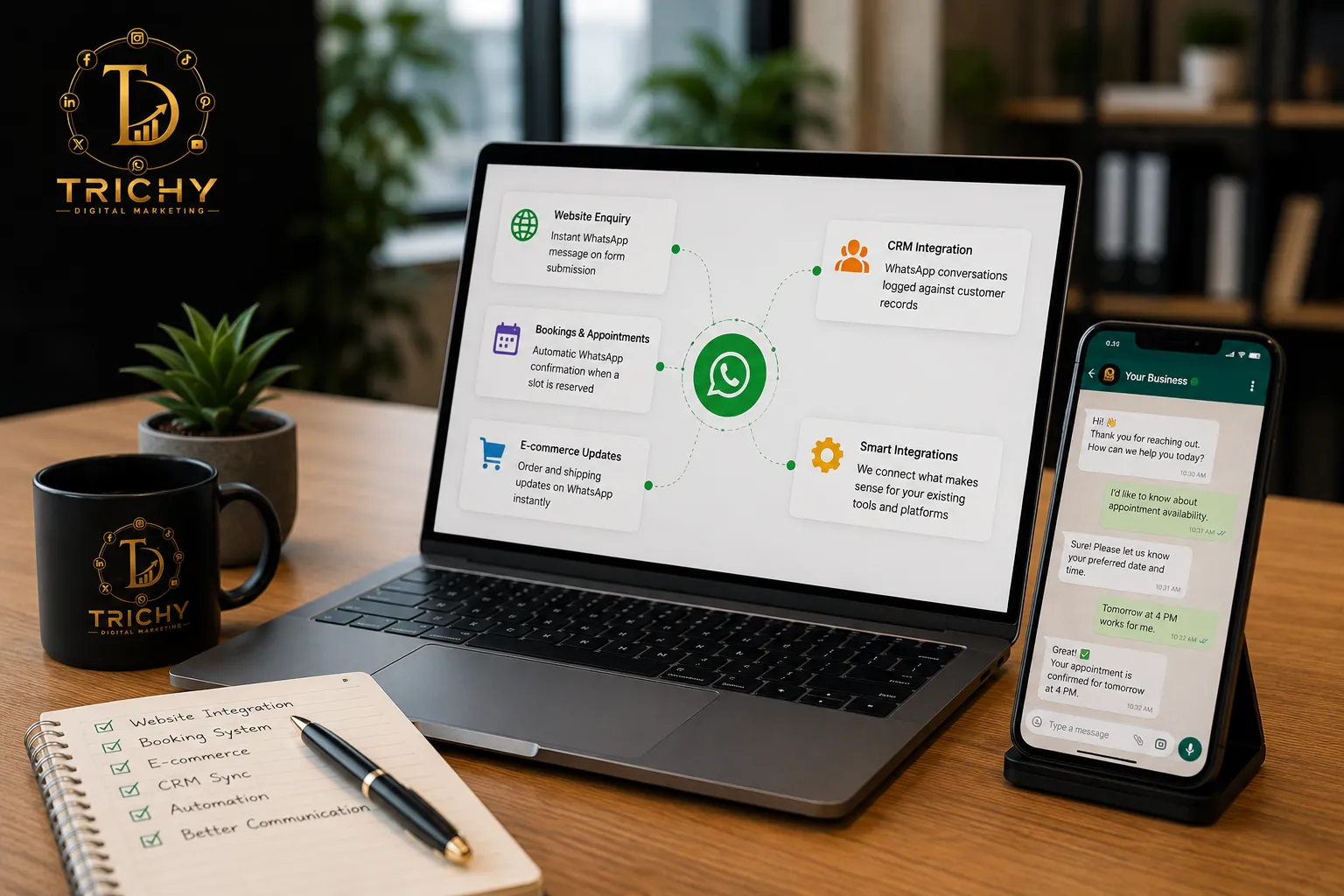
"API integration" sounds abstract until you see what it enables in practice.
Website forms that trigger a WhatsApp message the moment someone submits an enquiry, instead of them waiting for an email reply.
Booking or appointment systems that send an automatic WhatsApp confirmation once a slot is reserved.
E-commerce platforms that send order and shipping updates on WhatsApp instead of (or alongside) email.
CRM systems that log WhatsApp conversations against a customer record, so your team has context on repeat contacts.
We only recommend the integrations that make sense for what you already use — if your business runs on a specific booking tool or e-commerce platform, we'll assess what's realistically connectable before promising anything. Not every combination is a plug-and-play integration, and we'd rather tell you that upfront than overpromise.
Automation and Chatbots — Where They Help, Where They Don't
Good automation use cases
- Frequently asked questions (hours, location, pricing ranges)
- Lead qualification (what they're looking for, rough budget, timeline)
- Appointment or table booking
- Order status checks
- Simple product selection or catalog browsing
Where a human needs to step in
- Complaints or anything emotionally charged
- Price negotiation
- Complex, multi-part questions
- Sensitive situations (refunds, disputes, unusual requests)
- Any custom sales conversation that needs real judgment
A chatbot that tries to handle all of the above usually frustrates people more than a narrow flow that hands off cleanly. We build automation to cover the first list well, and route everything else to your team without delay.
Staying Compliant — Opt-In, Templates, and Reputation
WhatsApp marketing runs on Meta's rules, and getting the basics right matters more than any messaging technique.
Opt-in first
You need customers to have clearly agreed to receive messages from your business before you message them outside an active conversation. This can come from a website form, an in-store sign-up, or a "click to chat" link — the method is flexible, but the consent itself isn't optional.
Templates for live chat
Once 24 hours pass since a customer last messaged you, further messages need a pre-approved template, sorted into Marketing, Utility, or Authentication.
Reputation is tracked
Meta monitors blocks, reports, and engagement. These signals affect your account standing and the number of messages you can send.
Make opting out easy
A customer who can leave cleanly is far less likely to block or report your business.
We handle the opt-in setup, template categorization, and ongoing reputation monitoring as part of the service, so this isn't something you have to track on your own.
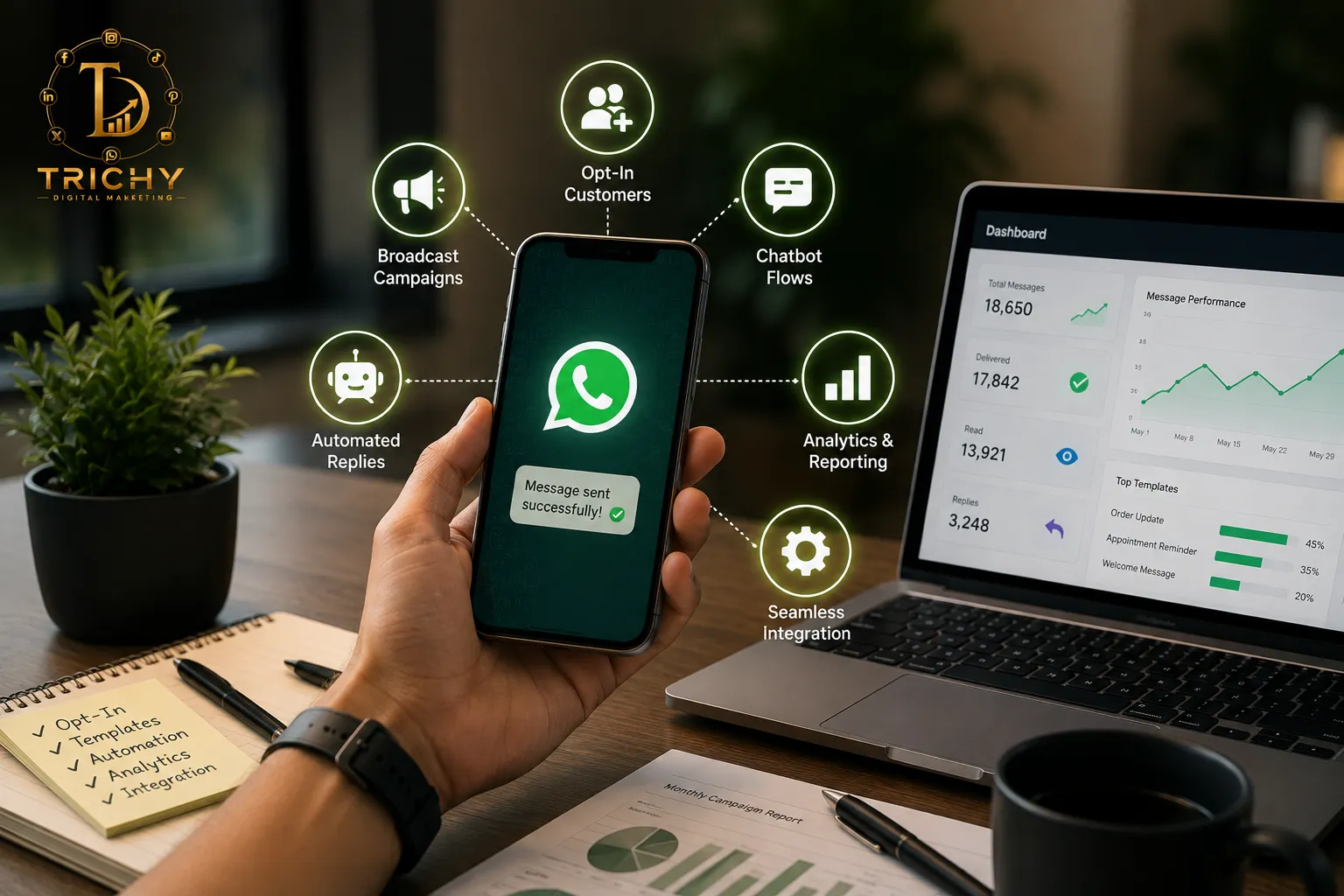
How a Campaign Gets Set Up
Discovery
Understand your current WhatsApp usage and what you actually need it to do.
Platform setup
Business Platform access, verification, sender number approval.
Opt-in process
Build (or confirm) a compliant way to collect consent.
Templates
Draft and submit messages under the correct category.
Automation, if needed
Build reply flows or chatbot sequences.
Launch
Send broadcasts or activate automation.
Review
Check delivery, response, and reputation, then adjust.
Best Use, By Industry
Retail & E-commerce
Catalog sharing & order updatesA customer asks about stock, gets photos and price, orders, receives a shipping update — all in one thread.
Education
Admissions & course enquiriesA prospective student asks about a course; automated reply covers basics, a counsellor follows up for anything specific.
Real Estate
Property enquiry to site visitA lead asks about a listing, gets a brochure and photos, gets qualified on budget, books a site visit.
Restaurants & Hospitality
Reservations & offersA table booking gets confirmed instantly; opted-in regulars get told about a weekend offer.
Healthcare
Appointment confirmationsA booked appointment triggers an automatic reminder the day before, cutting no-shows.
Professional Services
Scheduling & document sharingA client confirms a meeting time and receives a document link, without a phone call.
WhatsApp vs SMS vs Email — Different Tools, Different Jobs
Each channel does something the others don't do as well.
Best for back-and-forth conversation — questions, catalogs, images, and support that benefit from two-way exchange.
SMS
Best for short, time-sensitive alerts that need to land even without an app or data connection.
Best for longer, detailed content — newsletters, offers with several details, or anything that benefits from formatting.
None of these replaces the others outright. Most businesses Get more customers value from using WhatsApp where conversation matters, and SMS or email where a quick alert or detailed write-up fits better.
What Actually Drives WhatsApp Marketing Cost
Pricing here has a few separate layers, and it helps to understand them individually rather than expect one flat number.
Meta's messaging charges
Billed per delivered template message, varying by category (Marketing, Utility, Authentication) and recipient country.
BSP fees
Most businesses access the Platform through a Business Solution Provider, which adds its own platform fee on top of Meta's charges.
Setup cost
Registering your business, verifying with Meta, and getting your first templates approved.
Automation complexity
A simple FAQ flow costs less to build than a multi-step booking or qualification chatbot.
Integrations
Connecting WhatsApp to a website, CRM, or e-commerce system adds scope beyond standalone broadcasting.
Ongoing management
Template upkeep, reputation monitoring, and campaign planning, if you want this handled rather than managed in-house.
We won't publish a fixed package price here, because your actual cost depends on which of these layers apply to you — we'll walk through it once we understand your volume and setup needs.
Who Should Use WhatsApp Marketing
This tends to make sense if you...
- Get a steady stream of enquiries already, often informally through WhatsApp
- Have repeat customers worth staying in touch with
- Already have a customer list you can get proper consent from
- Currently lose leads because follow-up isn't consistent
- Field the same handful of questions repeatedly
Equally worth saying — this isn't the right fit if...
- You have no customer opt-in and no realistic way to get one yet
- Your customer communication needs are minimal (a handful of enquiries a month)
- You're expecting every broadcast to directly convert into sales
- You want to use WhatsApp purely as an unsolicited bulk-messaging tool — this also breaches Meta's policy and risks your number being restricted
If either applies to you, it's worth building an opt-in base first, or reconsidering whether SMS or email suits your situation better for now.
Choosing a WhatsApp Marketing Company in Trichy
Worth asking any provider you're evaluating.
API vs. Free App Fit
Do they explain when the free app is enough, or push the API regardless of fit?
Opt-in Compliance
Do they build a real opt-in process, or assume your list is already usable?
Template Strategy
Do they distinguish Marketing, Utility, and Authentication templates?
Realistic Automation
Are their automation claims realistic, or do they oversell what a bot can handle alone?
Actionable Analytics
Will you get reporting on delivery and engagement, not just "messages sent"?
Mistakes Worth Avoiding
Unverified Messaging
Messaging contacts without recorded opt-in
Template Mislabeling
Mislabeling promotional content as a Utility template to save cost
Excessive Broadcasting
Broadcasting too often, which damages your quality rating
Over-Automation
Letting a chatbot handle complaints or negotiation
Siloed Channels
Running WhatsApp disconnected from your website, ads, or other channels
Measuring What's Working
What to track depends on what the channel is doing for you.
Delivery rate
Are messages actually arriving
Response rate
Are people replying or clicking through
Conversion tracking
Did the conversation lead to a booking, order, or resolved enquiry
Reputation trend
Is your account standing improving or slipping over time
We report on these honestly — WhatsApp performance depends on your offer and list quality as much as on the setup itself, and we won't promise fixed numbers before knowing either.
Frequently Asked Questions About WhatsApp Marketing
-
It depends on how you use WhatsApp. The free WhatsApp Business app can be enough for a small team handling a manageable number of conversations manually. The WhatsApp Business Platform is more suitable when you need automation, multiple users, integrations, structured messaging, or higher-volume customer communication.
-
Yes, WhatsApp Business Platform can be integrated with many CRM systems, depending on the CRM's available APIs, integrations, and your specific workflow. We assess the existing system first and recommend a practical WhatsApp API integration rather than promising a connection that the platform cannot support.
-
Yes. WhatsApp can support both lead generation and customer engagement. Website visitors or ad users can start a conversation through click-to-WhatsApp journeys, while existing customers can use the same channel for questions, updates, bookings, and support. The exact setup depends on your customer journey and business process.
-
Yes, businesses can use WhatsApp for promotional messages when the messaging follows WhatsApp's applicable business and consent requirements. Marketing messages sent through the Business Platform generally use approved message templates where required. We help structure campaigns around opted-in contacts and appropriate messaging practices.
-
Yes. WhatsApp automation can handle predictable questions, lead qualification, appointment requests, order-status enquiries, and other repeatable tasks. More complex conversations such as complaints, negotiations, disputes, or situations requiring human judgment should be handed over to a team member.
-
Message templates are pre-defined messages used for business-initiated communication through the WhatsApp Business Platform when a template is required. Templates can support approved use cases such as marketing, utility, or authentication. The content and category need to follow WhatsApp's current requirements before the template can be used.
-
The customer's reply starts or continues a direct conversation with your business. Your team or automation can then respond according to the applicable WhatsApp messaging rules and conversation window. This is where broadcasting becomes customer engagement rather than simply sending a one-way promotional message.
-
Yes. WhatsApp can be used as a conversation destination for campaigns that are designed to generate enquiries. Depending on the advertising setup, customers can move from an ad into a WhatsApp conversation, where automated qualification or a sales team can handle the enquiry and guide the customer toward the next step.
-
WhatsApp marketing can work for businesses of different sizes. What matters more is your enquiry volume, customer base, repeat business, and need for structured communication. A small business with regular enquiries may benefit from simple automation, while a larger business may need the Business Platform, integrations, and more advanced workflows.
-
Yes. We provide WhatsApp marketing services for businesses in Trichy and nearby areas. If your business operates outside Trichy, we can review your location, customer base, and communication requirements to determine whether the setup is a good fit.
Ready to Set This Up Properly?
If you're getting regular enquiries on WhatsApp already but it feels unstructured, or you're not on WhatsApp for business at all yet, we can walk through what a proper setup would look like for you — no obligation, and no push toward automation or the API if your volume doesn't need it yet.
Get in touch to discuss your WhatsApp setupAreas We Serve in Trichy
Trichy Digital Marketing provides professional digital marketing, website development, SEO, Google Ads, social media marketing, branding, and software development services to businesses across Trichy and nearby areas. Whether you're a startup, small business, educational institution, healthcare provider, retailer, or large enterprise, our team delivers tailored digital solutions to help you increase online visibility, generate quality leads, and grow your business.